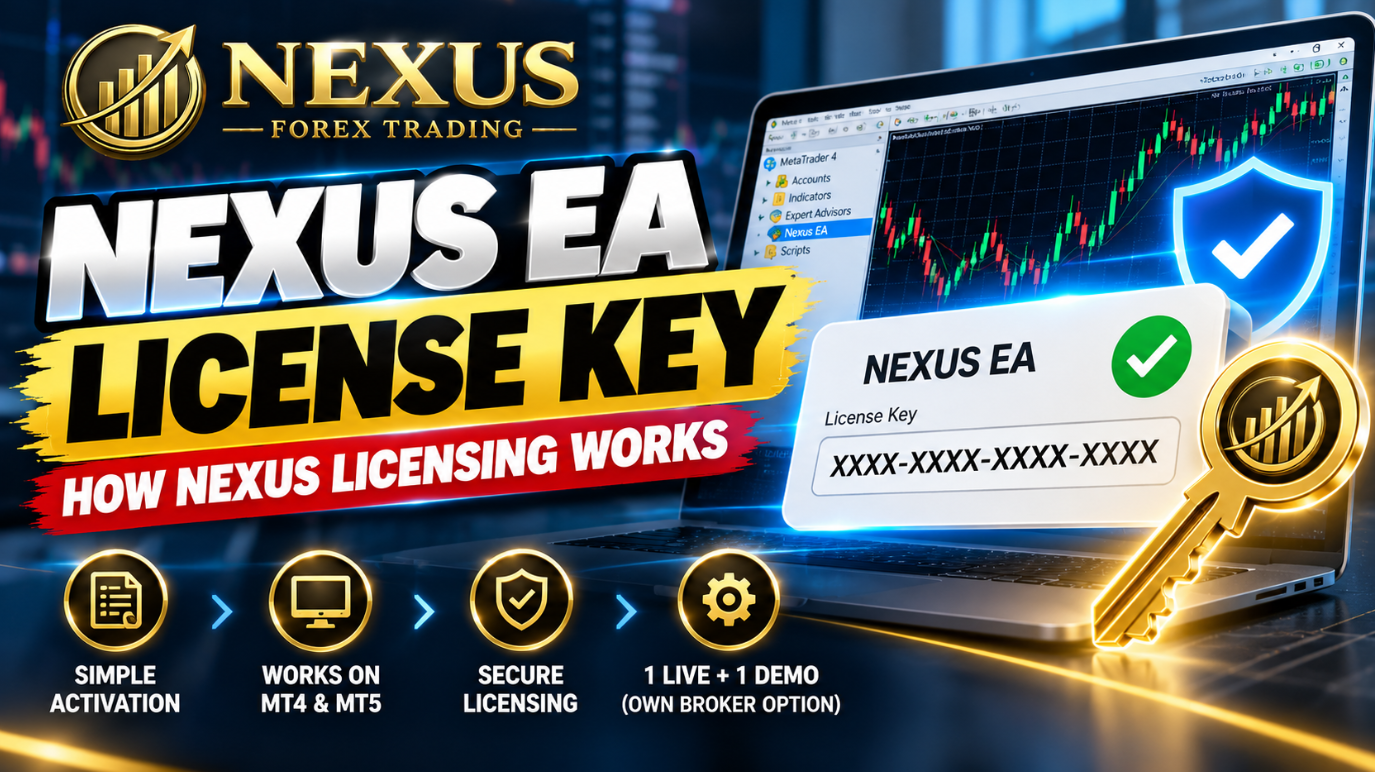
If you have searched for a Nexus EA license key, you probably want one straight answer: what will I receive, and what do I do with it? Here is the short version. Nexus does not email you a code to paste into the Expert Advisor. It builds EA files licensed to your trading account number, and that number is what the licence checks.
The setup guide on the Nexus site says it directly: your trading account number is the identifier used for licence verification. That one detail explains almost everything about how Nexus licensing works. It is why a demo licence only runs on the demo account you named, why a free live licence needs an account Nexus can verify, and why the Own Broker Licence is issued after you send your broker and platform details.
This guide covers all three routes: the 60-day demo licence, the free Preferred Broker licence and the Own Broker Licence. For each one you will see what you send, what Nexus checks, how the licence is issued and how long it takes. You will also see how to install the files and fix the licence errors people most often hit.
The short answer: A Nexus licence is not a serial number. It is a set of EA files made for one specific account number. The demo is free and covers one demo account for 60 days. The live licence is free when you trade through an eligible, funded Preferred Broker account. The Own Broker Licence costs $499.95 one time and covers one live and one demo account at a broker of your choice.
- The short answer
- What a Nexus EA licence key actually is
- The three Nexus licence routes at a glance
- The 60-day demo licence
- The free Preferred Broker licence
- The Own Broker Licence
- How each licence is issued, step by step
- Installing your files and checking the licence
- Common licence mistakes and how to fix them
- Which licence should you choose?
- Judge the EA before you license it
- Frequently asked questions
- Resources
Want the full EURUSD and GBPUSD Nexus EA on a live account?
Open an eligible Preferred Broker account through Nexus and the licence costs nothing. Start with one short form and your personal setup steps arrive by email.
Claim your 100% free live trading licenceEligible, funded Preferred Broker accounts only. Nexus may receive compensation from Preferred Brokers.
What a Nexus EA licence key actually is
Search results for "EA license key" mix together three different things, so it helps to separate them.
- A typed serial. You buy the EA, receive a code and paste it into the inputs window.
- An online check. The EA contacts the seller's server each time it starts to confirm you are allowed to run it.
- Account locking. The EA file is made for one account number and only trades when MetaTrader is logged into that account.
Nexus uses the third idea in the way it describes its licences: files made for one account number. This is a common technique among EA developers. In MQL4 and MQL5, the programming languages used for MT4 and MT5 Expert Advisors, a program can read the login number of the connected account with a function called AccountInfoInteger. The MQL5 reference page for AccountInfoInteger documents the function, and an MQL5 forum discussion on protecting an Expert Advisor shows how developers compare the login with an authorised number. That describes the general method, not Nexus's own code. What Nexus itself says is that the account number is the identifier used for verification.
A worked example
Say your live account login is 12345678. That number is made up for this example. Nexus builds the EURUSD and GBPUSD files for 12345678. They run when MetaTrader is logged into 12345678. If you copy the same files to a different account with a different login, the EA may stop trading, and that second account needs a licence of its own.
What the account number is not
Traders regularly send the wrong number, so it is worth being precise. Your licence number is the MetaTrader login. It is not your password, and it is not the client ID or profile number in your broker's client area. You can find the login in MT4 or MT5 under File, then Login to Trade Account, and your broker normally includes it in the account-opening email.
The platform has to match
An MT4 licence needs MT4, and an MT5 licence needs MT5. MT4 Expert Advisors use the .ex4 file format and MT5 builds normally use .ex5, so a file for one platform will not load in the other. You choose your platform when you request the licence.
The three Nexus licence routes at a glance
Nexus offers three ways to get a licence. They all use the same principle of files tied to an account number, but they differ in cost, the type of account and what Nexus checks before issuing files.
| Route | Cost | Accounts covered | What you send | How it is issued |
|---|---|---|---|---|
| 60-day demo | Free | One demo account | Name, email, platform, demo account number, and confirmation it is a demo | Files emailed, usually within about 8 to 24 hours |
| Free Preferred Broker licence | 100% free licence | Each eligible funded live account gets its own licence | Broker choice, then your live account number, platform and how you opened it | Verified with the broker, normally within 12 to 24 hours |
| Own Broker Licence | $499.95 one-time | 1 live and 1 demo account | Broker, platform and trading account details | Files emailed after Nexus verifies your details |
You can read the official wording for each route on the Nexus site: the demo page, the free live licence page and the Own Broker Licence page.
The 60-day demo licence
A demo account is a practice account that uses virtual money from a broker. The Nexus demo licence lets you run both the EURUSD and GBPUSD Expert Advisors on one demo account for 60 days. It does not need a Preferred Broker, and Nexus says it is not a cut-down version: the files are the full EAs, licensed only to the demo account you name.
How the demo licence is issued
- Open a demo account with any broker on MT4 or MT5 and note the account number.
- Submit the demo request form with your name, email, platform and demo account number, and confirm that it is a demo account.
- The files are prepared for that account number.
- The files arrive by email, usually within about 8 to 24 hours of a correct request. Check spam or junk if nothing turns up in that time.
- Install the files and attach the EAs. The licence runs for the stated 60 days and then expires.
What a demo is good for
Use the demo to confirm that installation, permissions, presets, lot size and your VPS setup all work on your own terminal. Demo execution is not the same as live execution, so treat it as a technical check and not as a forecast of live results.
Already sure you want to trade live?
The free live licence gives you the same EURUSD and GBPUSD EAs on a funded account at one of the Preferred Brokers. The first step takes about a minute.
Start my free live licenceEligible, funded Preferred Broker accounts only. Nexus may receive compensation from Preferred Brokers.
The free Preferred Broker licence
This is the route most traders ask about, because the licence itself costs nothing. It works for live accounts opened with RoboForex, Vantage Markets or AvaTrade through a Nexus link. Nexus may receive compensation from Preferred Brokers when a client opens and trades an account through its link. That is what funds development and support, and it is why the licence has no price. Nexus never receives your deposit. Your money stays in your own account with the broker, and normal broker costs such as spreads, commissions and swaps still apply.
How the free live licence is issued
- Choose a broker. On the free licence page, pick RoboForex, Vantage Markets or AvaTrade and enter your first name, email and country. Nexus emails you a link for that broker.
- Open a live account through that link. Use a normal browser window, switch off any VPN or ad blocker, and open a new live MT4 or MT5 account. If the broker asks for a partner or referral code, enter the Nexus code from your email.
- Verify and fund the account. Complete the broker's identity checks and deposit an amount you choose.
- Submit your live account number. Send the login number, the platform, and how you opened the account. A broker client ID is optional and can speed things up.
- Nexus checks the account. It confirms with the broker that the account is linked to the Nexus partner code and funded. This normally takes 12 to 24 hours.
- Your files arrive by email. You receive the EURUSD and GBPUSD EAs, settings and a setup guide, licensed to that account number.
Why the link matters
The link is the part people skip. It tells the broker the account came from Nexus, which is how the licence is funded and how Nexus can verify it. If you open the broker's website directly or from a search result, the account may not be linked, and Nexus will not be able to issue the free licence on it. If you already have an account with one of the brokers, the broker decides whether it can be moved to a partner code, and many do not allow it. The usual fix is to open a new live account through the Nexus link, after checking that the broker allows a second account.
Availability also depends on where you live, so check the brokers by country page before you register.
More than one account
Each eligible funded Preferred Broker live account can receive its own free licence. Suppose you have one funded account with Vantage Markets and another with AvaTrade. You submit each account number separately and receive two sets of files, one for each login. Nexus does not ask how much you deposited, and it never asks for passwords.
Get your free live licence started
Choose your broker, open the account through your personal Nexus link and send in your account number. Nexus handles the licence from there.
Claim your 100% free live trading licenceEligible, funded Preferred Broker accounts only. Nexus may receive compensation from Preferred Brokers.
The Own Broker Licence
Some traders cannot or do not want to move to a Preferred Broker. The Own Broker Licence is built for them. It is a one-time payment of $499.95 and covers one compatible live trading account and one demo trading account at the broker you already use.
What is included
- The Nexus EURUSD and GBPUSD Expert Advisors
- MT4 and MT5 builds
- Risk presets and installation and setup documentation
- Product updates and support
How the Own Broker Licence is issued
- You purchase the licence and submit your broker, platform and trading account details.
- Nexus reviews them and confirms the licence configuration for your broker and platform.
- The licence files are emailed to you after Nexus verifies your account details.
As with the other routes, the files are account-specific. Send the login number only, and never send broker passwords.
Ask before you buy if these matter to you: the product page does not say what happens if you later change broker or account, or how long updates and support last. A quick message to Nexus before purchase settles both.
How each licence is issued, step by step
Nexus does not hand out an instant key. Each request is checked and the files are built for the account number you supply, which is why delivery is measured in hours and not seconds. The process looks like this for every route.
| Stage | Demo | Free live | Own Broker |
|---|---|---|---|
| 1. Request | Demo form | Broker choice, then account number form | Purchase, then account details |
| 2. Check | Account is a demo account | Account is linked to the Nexus partner code and funded | Broker, platform and account details |
| 3. Build | Files made for the demo account number | Files made for the live account number | Files made for the live and demo account numbers |
| 4. Delivery | Email, usually within about 8 to 24 hours | Email, normally within 12 to 24 hours | Email after verification |
| 5. Install | Same steps for all three routes | Same | Same |
You can speed things up in three ways. Double-check the account number before you send it, choose the correct platform, and add trade@nexusforextrading.com to your contacts so the files do not land in spam.
Installing your files and checking the licence
The full walkthrough is in the Nexus setup guide. The core steps are short.
MT4
In MT4, choose File, then Open Data Folder, and go to MQL4, then Experts. Copy the Nexus .ex4 file into that folder. Right-click Expert Advisors in the Navigator and refresh, or restart MT4 if the EA does not appear.
MT5
In MT5, choose File, then Open Data Folder, and go to MQL5, then Experts. Copy the Nexus .ex5 file into that folder, then refresh the Navigator or restart. If the EA does not appear, make sure you opened the data folder from the exact terminal you are using, because separate installations keep separate data folders.
Check that the licence is accepted
Attach the EA to a chart and look at the Experts and Journal tabs. In MT4 they sit in the Terminal window, and in MT5 they sit in the Toolbox. Licence messages appear there. If you see a licence error, confirm that MetaTrader is logged into the exact account named in your licence. If it is, contact Nexus with your broker, platform, account number and the exact error text. Never include a password.
EAs only trade while MetaTrader is open and connected, so many traders run them on a VPS, which is a remote computer that stays on around the clock. The brokers and VPS recommendations page covers the options.
Common licence mistakes and how to fix them
- Sending the client ID instead of the login. The licence uses the MetaTrader login number. The client or profile ID in your broker's client area is a different number.
- Choosing the wrong platform. An MT4 licence will not work in MT5, and the reverse. Match the build to the platform you requested.
- Using a demo licence on a live account. A demo licence is tied to the demo account number you submitted. A live account needs its own licence.
- Opening a new account after the licence was issued. The new account has a new login, so it needs its own licence.
- Opening the broker account without the Nexus link. On the free route this is the most common reason an account cannot be verified. Open a new live account through the link and resubmit.
- Typing the account number wrongly. One wrong digit gives you files for an account that does not exist. Copy the number from your broker's email.
Which licence should you choose?
- You want to confirm the installation works before using real money: request the demo licence.
- You are happy to trade with RoboForex, Vantage Markets or AvaTrade: the free Preferred Broker licence is the straightforward route.
- You must stay with your current broker: the Own Broker Licence is designed for that.
- You want to run more than one live account with Preferred Brokers: each eligible funded account can receive its own licence.
Most traders start with the free live licence
If you can use one of the three Preferred Brokers, you get the full EURUSD and GBPUSD Nexus EA licensed to your account at no cost.
Claim your 100% free live trading licenceEligible, funded Preferred Broker accounts only. Nexus may receive compensation from Preferred Brokers.
Judge the EA before you license it
A free licence does not mean you should skip your own checks. Nexus publishes one real-money USD cent account on Myfxbook, an independent tracking service. It is an MT4 account with RoboForex running the EURUSD EA, and you can open the live Myfxbook record and read every trade. A cent account keeps its balance in cents, so you divide the figures by 100 to get the US dollar equivalent. The public account tracks the EURUSD EA only.
Look at the drawdown on that record, which is the fall from an account's peak balance to a later low. The drawdown calculator helps you work out what a drop of a given size would mean for your own account size. You can also read how Nexus tests its EAs on the how we test page and browse the live results page and the performance database.
Trading forex and CFDs involves significant risk of loss. Past performance does not guarantee future results.
No Expert Advisor can promise profits, and a licence of any price is only access to software. Use money you can afford to lose, check the broker is authorised to serve clients in your country, and size positions so that a losing run does not threaten your account.
Frequently asked questions
Does the Nexus EA use a licence key that I have to type in?
Nexus describes its licensing as account-specific files, not a code to paste into the EA. Its setup guide says your trading account number is the identifier used for licence verification. If you see a licence message in MetaTrader, check the Experts and Journal tabs and send Nexus the exact text along with your broker, platform and account number.
Where do I find my account number?
It is your MetaTrader login number. You can see it in MT4 or MT5 under File, then Login to Trade Account, and your broker normally includes it in the account-opening email. It is not your password and it is not your broker client ID.
How long does the 60-day demo licence take to arrive and how long does it last?
Demo files are usually emailed within about 8 to 24 hours of a correct request. Check your spam or junk folder if nothing arrives in that window. The licence covers one demo account for 60 days and expires after that period.
How is the free live licence verified?
After you submit your live account number, Nexus checks with the broker that the account is linked to the Nexus partner code and funded. Verification normally takes 12 to 24 hours. Nexus does not ask how much you deposited and never asks for passwords.
Can I use one Nexus licence on several accounts?
No. Each licence is tied to one account number, and running the files on another account may stop trading. On the free Preferred Broker route, each eligible funded live account can receive its own licence, so you submit each account separately. The Own Broker Licence covers one live account and one demo account.
What happens if I change broker or open a new account?
A new account needs its own licence. On the Preferred Broker route, open the new account through the Nexus link and submit its number. The Own Broker product page does not spell out what happens when you change broker or account, so ask Nexus before you buy if that matters to you.
Do I need to give Nexus my broker password?
No. Nexus only needs the broker name, platform and account number. It never needs your broker, MetaTrader, investor or banking passwords, and you should not send them to anyone.
Is the free live licence the full EA?
Yes. The free live licence gives you the same EURUSD and GBPUSD Expert Advisors, MT4 and MT5 builds, settings and setup guide as the paid route. The difference is how the licence is funded, not what the software does.
How much do I need to deposit with a Preferred Broker?
Nexus does not set or ask about your deposit. Each broker has its own minimums, margin and leverage rules, so check them before you fund an account, and only trade with money you can afford to lose.
Which Preferred Broker should I choose?
RoboForex, Vantage Markets and AvaTrade all work with the Nexus EAs on MT4 and MT5. Which one you can use depends on where you live, so check the brokers by country page and confirm eligibility with the broker before you register.
Ready to claim your free live licence?
Choose RoboForex, Vantage Markets or AvaTrade, open your account through the Nexus link, and send your account number. Nexus verifies it and emails your licensed files.
Claim your 100% free live trading licenceEligible, funded Preferred Broker accounts only. Nexus may receive compensation from Preferred Brokers.
Resources
- Nexus free live licence page: the full process for the Preferred Broker route
- Nexus 60-day demo request
- Nexus Own Broker Licence
- Nexus EA setup guide
- Brokers by country
- MQL5 reference: AccountInfoInteger
- MQL5 forum: protecting an Expert Advisor
- Nexus live results on Myfxbook
Trading forex and CFDs involves significant risk of loss. Past performance does not guarantee future results.
Nexus may receive compensation from Preferred Brokers. Nexus provides software and education only, does not hold client funds and does not give personal financial advice.