
MT4 vs MT5: Does Platform Choice Change EA Execution?
A clear trader-focused guide to how MT4 and MT5 differ for Expert Advisors, backtesting, slippage, hedging, netting, execution speed and live forex EA performance.
A good Expert Advisor can still produce poor results if the trading environment is wrong. That is why serious EA traders eventually ask the same question: does MT4 vs MT5 actually change EA execution, or is platform choice just a preference?
The honest answer is: sometimes it matters a lot, and sometimes it barely matters at all.
If your EA trades one forex pair, opens simple market orders, uses basic stop loss and take profit logic, and runs on a reliable broker server, MT4 and MT5 may produce very similar live outcomes. But if your EA depends on faster processing, multi-currency logic, advanced backtesting, order-book data, exchange-style execution, or portfolio-level optimization, MT5 can become a meaningful advantage.
This guide explains the real differences between MT4 and MT5 for EA execution, how they affect backtesting, live trading, slippage, order handling, and what retail traders should consider before choosing a forex EA trading platform.
Quick answer: MT5 is more advanced, but MT4 can still be excellent for forex EAs. The best choice depends on the EA design, broker execution, account type, VPS setup, spread conditions and strategy logic.
MT4 vs MT5: The Short Answer for EA Traders
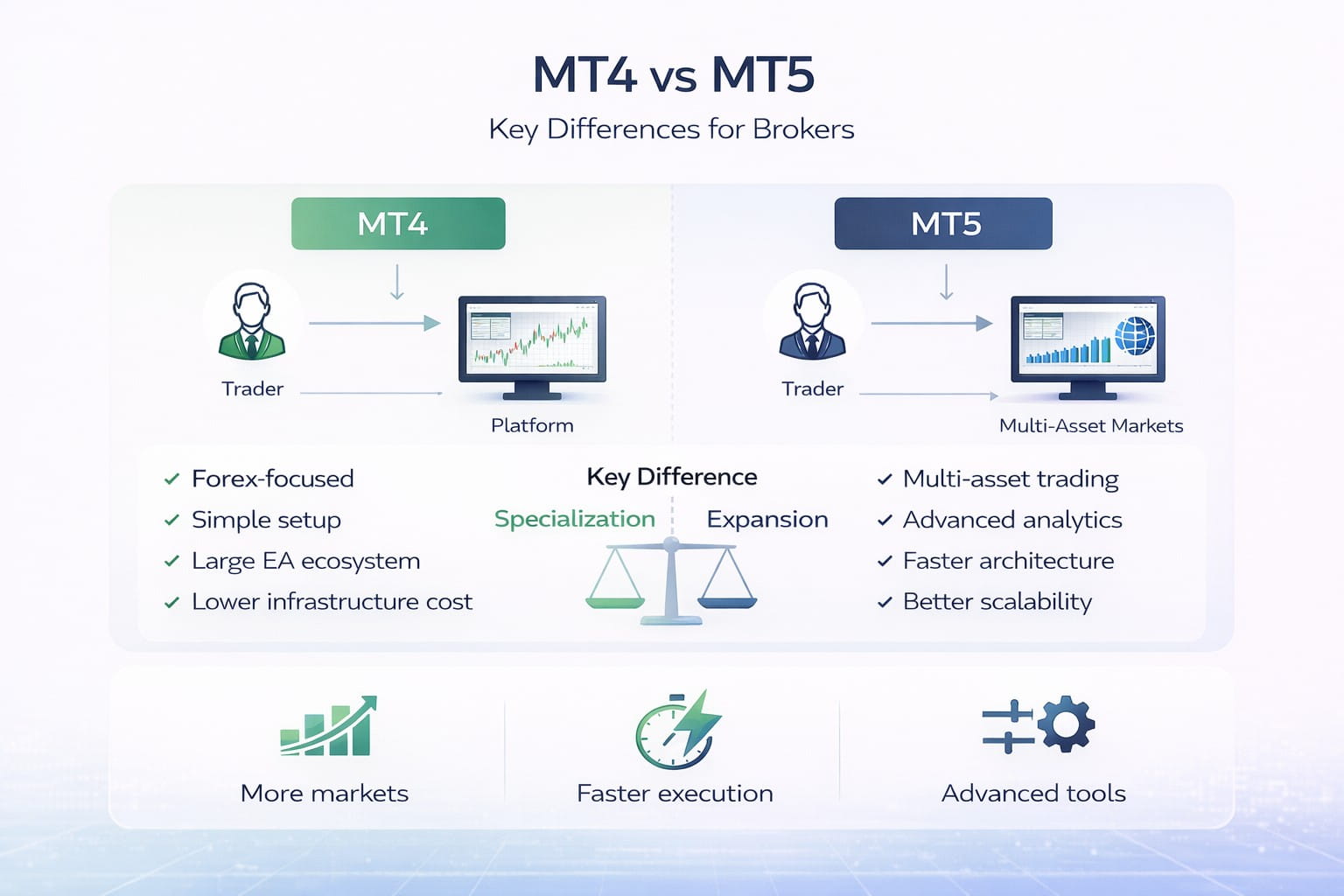
MT4 was built primarily for forex trading and became the industry standard for retail Expert Advisors. It is simple, widely supported, and still extremely popular with brokers, EA developers, and retail traders.
MT5 is a newer, more advanced multi-asset platform. It supports more order types, more markets, more advanced strategy testing, and a more modern programming language.
For practical EA trading, the main difference is not that “MT5 is always better.” The real question is whether your EA needs the features MT5 offers.
| Feature | MT4 | MT5 |
|---|---|---|
| Main Use | Forex-focused trading and legacy EA systems | Multi-asset trading, advanced testing and modern automation |
| Programming Language | MQL4 | MQL5 |
| Position Accounting | Commonly hedging-style forex order handling | Supports hedging and netting, depending on account type |
| Strategy Tester | Useful for single-pair EA testing | More advanced, multi-threaded and better for multi-currency testing |
| EA Compatibility | Huge library of existing EAs and indicators | Better for newer, more complex automated systems |
Core Architecture: Why MT4 and MT5 Are Not the Same Platform
MT4 and MT5 may look similar on the surface, especially to a manual trader. Both have charts, indicators, Expert Advisors, scripts, terminals, account history, and order windows. Under the hood, they are different.
MT4 Was Built for Forex Simplicity
MT4 became popular because it was lightweight and forex-focused. It supports Expert Advisors written in MQL4, and for many retail traders it remains the familiar home of automated forex trading.
MT4 remains attractive because:
- It is familiar and widely supported.
- Many brokers still offer it.
- Thousands of EAs were built for it.
- The platform is lightweight.
- Setup is simple.
- It suits single-pair forex strategies well.
If your EA trades EUR/USD or GBP/USD using a straightforward model, MT4 can still be perfectly adequate.
MT5 Was Built as a Multi-Asset Platform
MT5 was designed to support more than retail spot forex. It supports forex, stocks, futures, exchange products, and CFDs depending on broker access.
That matters for EA developers because MT5 gives more structure around orders, positions, deals, and market data. It is more complex, but also more powerful.

MT4 and MT5 can look similar to manual traders, but EA execution, coding logic and testing features differ under the surface.
Order Execution Models: Does MT5 Execute Faster Than MT4?
This is where many traders misunderstand the debate.
A platform does not magically remove slippage. Your live execution depends on several layers:
- Your EA logic
- Your platform settings
- Your VPS or local machine speed
- Your internet connection
- Broker server location
- Broker execution model
- Liquidity conditions
- Market volatility at the time of order
MT5 may process some EA logic more efficiently, but that does not guarantee better fills if your broker execution is poor or if you are trading during high-impact news.
When Platform Choice Can Affect Execution
Platform choice may meaningfully affect EA execution when:
- Your EA sends many orders quickly.
- Your EA manages multiple symbols at the same time.
- Your EA relies on partial fills or exchange-style execution.
- Your EA uses advanced pending order logic.
- Your EA depends on tick-level precision.
- Your strategy is sensitive to milliseconds, spread changes, or slippage.
When Platform Choice May Not Matter Much
Platform choice may not meaningfully change results when:
- The EA trades only one pair.
- It opens a small number of trades per day.
- It uses simple market orders.
- It runs on a stable VPS.
- The broker’s MT4 and MT5 servers have similar execution quality.
- The strategy holds trades for hours rather than seconds.
For example, a EUR/USD swing EA that enters a few trades per week based on H1 or H4 signals is unlikely to see a huge execution difference purely because it runs on MT5 instead of MT4. A scalping EA trading during liquid London/New York overlap may notice more difference, especially if backtesting and live execution assumptions are tighter on one platform.
Hedging vs Netting: A Key MT4 vs MT5 Difference
This is one of the biggest technical differences for EA traders.
MT4 Uses Hedging-Style Position Handling
MT4 is naturally familiar to forex traders because it allows multiple positions on the same symbol. For example, your EA can open one EUR/USD buy trade and later open another EUR/USD sell trade without automatically merging the two into one net position, depending on broker settings.
That is useful for:
- Grid systems
- Hedge-based strategies
- Multi-entry EAs
- Partial strategy separation
- Trade baskets
- Scaling models
MT5 Supports Both Netting and Hedging
MT5 supports both netting and hedging account types. This matters because an EA coded for hedging logic may behave differently on an MT5 netting account.
Real-World Example: Why Netting Can Change EA Results
Imagine an EA opens:
- EUR/USD buy 0.10 lots
- EUR/USD buy 0.10 lots
- EUR/USD sell 0.10 lots as a hedge
On a hedging account, those may remain as separate positions. The EA can manage each ticket separately.
On a netting account, the platform may combine exposure into one net position. That can break or distort an EA that expects individual trade tickets.
Important: Before running an EA on MT5, confirm whether the account is MT5 hedging or MT5 netting. For most retail forex EAs, hedging mode is usually the safer choice unless the EA was built specifically for netting.
MQL4 vs MQL5: Programming Language Differences
Another major difference is the programming language.
MT4 EAs are written in MQL4. MT5 EAs are written in MQL5.
MQL5 is more advanced and more object-oriented. It can be more powerful for complex systems, but it also requires more coding skill.
What This Means for Traders
For traders, the key point is simple:
An MT4 EA cannot simply be dragged into MT5 and expected to work. It usually needs to be rewritten, converted, or recompiled into MQL5.
Even if the strategy rules are identical, the code structure, order handling, indicator calls, and trade management functions may differ.
What This Means for Developers
For developers, MQL5 can be more powerful. It supports more modern programming structure and can be better for complex systems. MT4 can be easier for simpler forex robots, especially when modifying legacy EAs.
Backtesting: MT5 Has a Major Advantage
This is where MT5 often wins clearly.
Backtesting is not live trading, but it matters. If your backtest is weak, your confidence in the EA is weak. If your tester cannot simulate your strategy properly, your optimization may mislead you.
MT4 Strategy Tester
MT4 includes a Strategy Tester for testing and optimizing Expert Advisors. MT4 backtesting can be useful, especially for simple single-pair strategies. But it is less advanced than MT5 for multi-symbol and tick-based testing.
MT4 testing quality also depends heavily on the historical data used, spread assumptions, modelling method, and whether the EA is sensitive to intrabar price movement.
MT5 Strategy Tester
MT5 has a more advanced tester. It is generally stronger for multi-currency systems, tick-based simulation, multi-threaded optimization and more complex testing environments.
For EA traders, that is a serious advantage.
MT4 Testing Strength
Good for simple single-pair forex EAs where the strategy is not overly sensitive to tick-level modelling.
MT5 Testing Strength
Better for multi-currency EAs, portfolio systems, advanced optimization and more realistic tick testing.
Why Multi-Threaded Testing Matters
If you optimize an EA with 10 parameters, the number of possible combinations can explode quickly.
MT4 can handle optimization, but MT5 is generally stronger for:
- Multi-threaded optimization
- Cloud testing
- Multi-currency systems
- Faster parameter sweeps
- More detailed testing environments
- More complex simulations
If you are testing a simple moving-average EA on EUR/USD, MT4 may be enough. If you are testing a portfolio EA across EUR/USD, GBP/USD, USDJPY, and XAUUSD, MT5 is usually the better environment.

For EA traders, backtesting quality matters because weak testing assumptions can create unrealistic expectations before going live.
Real Ticks, Slippage and Backtest Accuracy
A major question for EA traders is whether the backtest reflects what can happen live.
This matters most for:
- Scalping EAs
- News EAs
- Breakout EAs
- Grid systems
- Tight stop-loss systems
- Strategies using small profit targets
A strategy aiming for 5 pips of profit can look brilliant in a poor-quality backtest and fail live once spread, slippage, execution delay, and tick path are accounted for.
A strategy aiming for 100 pips with wide stops is usually less sensitive to tiny tick differences.
Does MT5 Improve Live EA Speed?
MT5 can be more efficient at processing complex logic, and MQL5 is generally more advanced. That said, live execution speed is not only about code speed.
A slow broker server, poor VPS location, high spreads, or liquidity gaps can erase any advantage from the platform.
Example: When Speed Matters
A scalping EA enters EUR/USD during the London open with a 3-pip target and a 5-pip stop. It sends and modifies orders quickly.
Here, platform efficiency, VPS latency, spread, broker execution and server speed matter. MT5 may provide advantages if the EA is coded well and the broker’s MT5 infrastructure is strong.
Example: When Speed Matters Less
A GBP/USD EA trades once or twice per day on M15 or H1 signals and holds trades for several hours.
Here, the difference between MT4 and MT5 processing speed is unlikely to be the deciding factor. Broker quality, spread during entry, risk settings and strategy logic matter more.
Order Types and Trade Management
MT5 offers more order types than MT4. This can matter for advanced EAs that use more complex entry sequencing or pending-order logic.
Additional order types may help if your EA uses:
- Breakout entries with confirmation
- Pullback-after-breakout logic
- More precise entry sequencing
- Exchange-style order placement
- Complex pending-order strategies
For most basic forex EAs, standard market, stop and limit orders are enough. But for more advanced systems, MT5’s additional order types can be useful.
Broker Infrastructure Matters More Than Platform Branding
A common mistake is assuming MT5 always executes better than MT4. That is not always true.
Two brokers can both offer MT5, but execution quality can differ dramatically.
For EA traders, broker choice affects:
- Spread stability
- Commission
- Slippage
- Requotes
- Stop-level restrictions
- Minimum lot size
- Execution speed
- VPS proximity
- Symbol suffixes
- Contract specifications
- Swap charges
- Maximum orders
- Margin rules
Execution reality: A well-run MT4 server from a strong broker can outperform a poor MT5 setup from a weak broker. Platform choice matters, but broker execution quality matters more.
Real-World Scenarios: When MT4 vs MT5 Changes EA Outcomes
| Scenario | Platform Impact | Why It Matters |
|---|---|---|
| Single-Pair EUR/USD EA | Low to Moderate | MT4 is likely sufficient if the EA trades simple signals and one trade at a time. |
| Multi-Currency Portfolio EA | High | MT5 is usually better for multi-currency testing, optimization and portfolio logic. |
| Grid or Hedge EA | High if account mode differs | MT5 must use the correct hedging mode if the EA needs separate tickets. |
| Scalping EA With Tight Targets | Moderate to High | Broker spreads, commission, latency and slippage matter heavily. |
| Long-Hold Swing EA | Low | MT4 or MT5 can work if broker conditions and risk settings are suitable. |
Which Platform Should You Choose for Forex EA Trading?
Here is a practical decision framework.
Choose MT4 If:
- Your EA was built for MT4.
- You trade simple forex strategies.
- You rely on older MQL4 indicators or tools.
- Your broker’s MT4 execution is proven.
- You want broad EA marketplace compatibility.
- You prefer a familiar, lightweight platform.
Choose MT5 If:
- Your EA was built for MT5.
- You need multi-currency backtesting.
- You want faster optimization.
- You trade multiple asset classes.
- You need netting or exchange-style support.
- You want a more modern programming environment.
- You rely on advanced order types or Market Depth.
Choose Based on the EA First
This is the most practical rule:
Use the platform your EA was designed and tested for. If an EA was built, optimized and forward-tested on MT4, do not assume the MT5 version will behave identically. If an EA was built for MT5, do not try to force it into MT4.
Platform conversion can change results because order handling, indicator calls, timing, spread assumptions and account modes may differ.
MT4 vs MT5 for Nexus Forex EA Traders
For traders using automated strategies like Nexus Forex EA, the platform question should be approached practically.
You want:
- Stable broker execution
- Correct EA version for the platform
- Correct chart timeframe
- Correct symbol settings
- Reliable VPS if trading 24/5
- Low enough spreads for the strategy
- No unnecessary manual interference
- Realistic risk settings
MT4 and MT5 can both be suitable if the EA has been built and tested properly for that platform. What matters is not only the platform, but the complete trading setup.
That means broker, VPS, spreads, lot size, account type, risk settings and market conditions all matter.
Common EA Execution Mistakes to Avoid
Before choosing MT4 or MT5, avoid these common mistakes:
- Running an MT4 EA on MT5 without a proper MT5 version
- Using an MT5 netting account for an EA that requires hedging
- Trusting backtests without checking spread, tick quality and slippage assumptions
- Running an EA on a home computer that disconnects
- Using too much leverage because margin is available
- Ignoring broker stop levels and symbol suffixes
- Changing EA settings after every losing trade
- Comparing MT4 and MT5 results without using the same broker and account conditions
Many traders blame the platform when the real issue is poor setup discipline.
Final Verdict: Does Platform Choice Change EA Execution?
Yes, platform choice can change EA execution, but not always in the way traders expect.
MT5 is technically more advanced. It offers stronger multi-currency testing, multi-threaded optimization, more modern programming through MQL5, additional order types, and both netting and hedging account structures.
MT4 remains highly practical. It is simple, familiar, forex-focused, and still widely supported by brokers and EA developers.
For simple forex EAs, broker execution quality and risk settings often matter more than whether you use MT4 or MT5. For complex, multi-symbol, high-frequency, or advanced strategy testing, MT5 can offer a real advantage.
The best platform is the one that matches your EA’s design, testing history, broker conditions and trading goals.
Ready to Trade With a Proven Forex EA?
Now that you understand how platform choice affects EA execution, the next step is choosing an EA that is built for real trading conditions, not just attractive backtest screenshots.
Nexus Forex EA is designed for traders who want a structured, rules-based approach to EUR/USD and GBP/USD trading, with platform compatibility and execution reliability taken seriously.
Claim Nexus Forex EAUseful Resources
MetaTrader 5 Official Platform:
https://www.metatrader5.com/
MQL5 Documentation:
https://www.mql5.com/en/docs
MetaTrader 4 Official Platform:
https://www.metatrader4.com/
Risk disclaimer: Forex trading involves significant risk and may not be suitable for all investors. Expert Advisors do not guarantee profit. Platform choice, broker execution, spreads, slippage, market conditions and risk settings can all affect results. Always test carefully on demo or small live accounts before scaling capital.