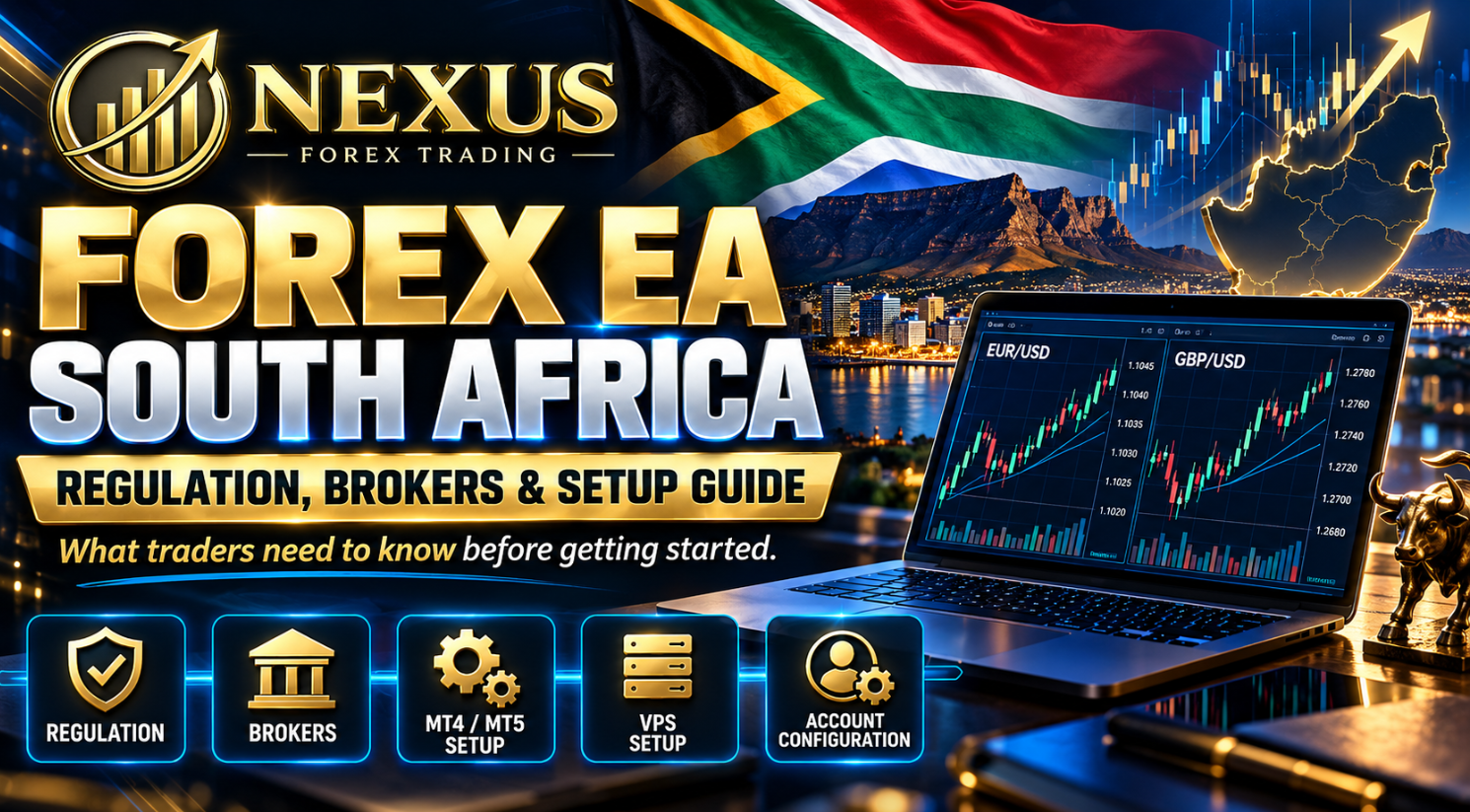
South Africa has a large and active community of retail Forex traders, and it is easy to understand why. The country has a strong trading community, wide access to international markets, growing interest in automated trading and a regulator, the Financial Sector Conduct Authority (FSCA), that gives traders a clear framework for checking whether a financial service provider is properly authorised.
For South African traders, using a Forex EA South Africa setup is not only about downloading a robot and placing it on a chart. The better question is: how do you use an Expert Advisor responsibly, legally and professionally in a way that respects broker regulation, platform requirements, account risk and proper setup discipline?
That is where many traders make mistakes. They focus only on the EA’s entry logic, screenshots or profit claims, while ignoring the practical foundations: broker selection, FSCA checks, MetaTrader compatibility, VPS (virtual private server, a remote computer that keeps MetaTrader running) reliability, account funding, lot size (trade size) and risk controls.
This guide explains what South African traders need to know before using a Forex EA on MT4 or MT5 (MetaTrader 4 and MetaTrader 5, the two MetaTrader trading platforms), including regulation, broker checks, setup steps, common mistakes and how Nexus EA can fit into a structured trading process.
By James Murphy
Jump to: Is it legal? · FSCA checks · Choosing a broker · Nexus route · Setup · Lot size and risk · Tax · Mistakes · Nexus EA · Checklist · FAQ
Start with the free 60-day demo
Run both Nexus EAs on your own MT4 or MT5 demo account for 60 days. No broker, no payment and no obligation to continue. If you later go live, an eligible funded Preferred Broker account can receive a $0 Nexus licence after verification.
Files are normally emailed within 8–24 hours. Nexus may receive compensation from Preferred Brokers.
What Is a Forex EA?
A Forex EA, or Expert Advisor, is automated trading software that runs on a trading platform such as MetaTrader 4 or MetaTrader 5. It can analyse market conditions, follow programmed rules, open trades, manage positions and close trades without manual entry from the trader.
A Forex EA does not remove risk. It does not know the future. It simply follows its programmed trading logic.
For example, a EURUSD EA might be designed to look for a specific price structure, volatility condition or timing setup on the M15 (15-minute) chart. A GBPUSD EA may use different logic or settings because GBPUSD often behaves differently from EURUSD. One pair may be more sensitive to US dollar data, while another may react more aggressively to Bank of England commentary, UK inflation or sterling-specific news.
The main benefit of an EA is consistency. A human trader may hesitate, chase candles, revenge trade or close trades too early. An EA does not get emotional. It does exactly what it is programmed to do.
That can be powerful, but it also creates responsibility. If the lot size is too high, the broker environment is poor, the VPS is unstable or the trader does not understand drawdown (the fall from an account’s peak balance to a later low), automation can magnify mistakes.
Is Forex EA Trading Legal in South Africa?
Forex and CFD (contract for difference) trading is available to South African residents through properly authorised brokers and financial service providers. The key regulator is the Financial Sector Conduct Authority, commonly known as the FSCA. The FSCA states that people and entities need authorisation before providing financial services and products to customers, and its public register can be used to check authorised financial service providers.
A retail trader using an EA on their own personal trading account is different from a person selling signals, managing other people’s money or providing financial advice. The regulatory risk increases when someone starts advising others, copying trades for clients, managing funds or promoting financial products without the correct licence.
South African traders should separate these three things:
This is a personal trading activity, subject to the broker’s terms, platform rules and normal trading risk.
This can trigger licensing and regulatory obligations.
Traders should check whether the broker is authorised, what entity they are contracting with, and what protections apply.
The FSCA regularly publishes warnings about unauthorised providers, impersonators and forex-related schemes. Its public warning pages are a useful resource for traders who want to avoid unlicensed operators.
The practical takeaway is simple: using a Forex EA in South Africa is not the problem. Using poor brokers, trusting unverified claims or giving money to unlicensed operators is the danger.
Why FSCA Checks Matter Before Using an EA
Many traders focus on spreads (the gap between the buy and sell price) and leverage (how large a position your deposit controls) first. Those matter, but regulation should come before excitement.
Before placing a Forex EA on a live account, South African traders should check:
- the broker’s legal entity;
- the FSP number (a provider’s licence number with the FSCA), where applicable;
- whether the broker claims FSCA authorisation;
- whether the authorisation can be found on the FSCA register;
- whether the broker offers MT4 or MT5;
- whether automated trading is allowed;
- whether the account type supports the trading style of the EA;
- spreads, commissions, swaps (overnight financing charges) and execution conditions;
- deposit and withdrawal methods;
- what happens if there is a dispute.
This is especially important because some international brokers serve South African clients through offshore entities. That does not automatically mean the broker is unsuitable, but it does mean the trader must understand which legal entity they are dealing with and what protection applies.
For example, Vantage states that Vantage Markets (Pty) Ltd is an authorised Financial Service Provider regulated by the FSCA under FSP licence number 51268. AvaTrade states that Ava Capital Markets Pty is regulated by the South African FSCA under FSCA No.45984. RoboForex states that RoboForex Ltd is regulated by the Financial Services Commission (FSC) and lists restricted countries, but this is not the same as an FSCA authorisation.
This is why South African traders should not rely on logos or general claims. Always confirm the broker entity and regulator directly.
The Nexus Preferred Brokers are RoboForex, Vantage Markets and AvaTrade. Not every broker serves South African clients through the same type of entity, so check each one on its legal page and on the regulator’s register before you open an account. Nexus may receive compensation from Preferred Brokers.
Forex, CFDs and OTC Derivatives in South Africa
Most retail Forex trading offered by online brokers is not physical currency exchange. It is usually provided through margin products such as CFDs, rolling spot forex or derivative instruments. That matters because these products are leveraged and can create losses quickly.
South African regulation includes an OTC (over-the-counter) derivatives framework. The Financial Markets Act regulations define OTC derivatives and OTC derivative providers, while excluding foreign exchange spot contracts from the OTC derivative definition.
For a retail trader, the legal language can feel complex, but the practical message is straightforward:
- know whether you are trading spot FX, CFDs or another derivative;
- check which broker entity provides the product;
- read the broker’s risk disclosure;
- understand margin (the deposit held against open trades) and leverage;
- avoid assuming that “regulated somewhere” means the same protection applies in South Africa.
A Forex EA will simply trade the instrument available on your platform. It will not know whether you understand the product structure. That responsibility remains with the trader.
Choosing a Broker for a Forex EA in South Africa
A good EA setup starts with a compatible broker account. South African traders should avoid choosing a broker based only on a bonus, high leverage or a social media recommendation.
1. Regulation and entity clarity
Check the broker’s FSCA status where applicable. Use the FSCA register and the broker’s legal documentation. Do not rely only on an affiliate page, social media bio or screenshot.
2. MT4 or MT5 support
A Forex EA needs the correct platform. If the EA is built for MT4, it will not automatically run on MT5. If it is built for MT5, it will not run on MT4. The platform matters.
Nexus EA supports MT4 and MT5 builds for EURUSD and GBPUSD, but the trader still needs to open the correct account type and install the correct file.
3. Symbol naming
Some brokers use standard symbols such as EURUSD and GBPUSD. Others may use suffixes such as EURUSDm, EURUSD.pro, GBPUSD.r or similar variations. This can affect EA compatibility.
Before going live, test on demo and confirm the EA recognises the correct pair.
4. Spread and commission
EAs are sensitive to trading costs. A strategy that performs well on a tight-spread account can behave differently on a wider-spread account.
For EURUSD and GBPUSD, traders should compare:
- average spread;
- commission per lot;
- swap costs;
- slippage;
- execution speed;
- account type;
- minimum lot size.
5. VPS compatibility
If the EA only runs when your laptop is open, your setup is weak. A Forex EA should usually run on a VPS so MetaTrader stays online continuously.
This is especially important in South Africa because power interruptions, internet instability or local machine restarts can affect platform uptime.
South African Broker Options and Nexus Preferred Broker Route
Nexus Forex Trading uses a Preferred Broker route for eligible traders who want to access the EA with a $0 Nexus licence. The current Preferred Broker structure is designed so eligible clients can test and trade the full Nexus EURUSD + GBPUSD EA package without paying Nexus a separate software fee.
For South African traders, broker availability can vary by jurisdiction, account type and broker policy. The practical route is:
- choose an eligible Preferred Broker;
- open the account through the official Nexus link where required;
- verify the broker account relationship;
- install the EA on MT4 or MT5;
- test carefully on demo first;
- only consider live trading once setup, lot size and risk are understood.
Nexus may receive compensation from Preferred Brokers. Eligibility, funding and verification requirements apply, and RoboForex has restrictions in some countries. Check availability on the forex broker by country page, and compare options in the broker and VPS guide. When you are ready, submit your account on the free live licence page.
Three ways to use the Nexus EA in South Africa
Start with the free demo. If you decide to go live afterwards, there are two routes. Both give you the same EURUSD and GBPUSD EAs for MT4 and MT5.
Free 60-day demo
Free- Both EURUSD and GBPUSD EAs
- MT4 or MT5
- One demo account
- No Preferred Broker needed
Best if you want to see it run before anything else.
Start free demo →Preferred Broker route
$0 licence- RoboForex, Vantage Markets or AvaTrade
- Eligible funded accounts, one licence each
- Verified by Nexus
- Both EAs, MT4 and MT5
Best if you are happy to use a partner broker that serves your country.
Get free live access →Own Broker Licence
$499.95 one-time- Your own compatible broker
- 1 live account + 1 demo account
- Both EAs, MT4 and MT5, presets
- Documentation, updates and support
Best if you want to stay with your current broker.
Buy Own Broker Licence →Nexus may receive compensation from Preferred Brokers. Eligibility, account funding and verification requirements apply.
How to Set Up a Forex EA in South Africa
The technical setup is not difficult, but it must be done carefully. Most problems come from rushing. For the Nexus files, follow the full Nexus EA setup guide.
Step 1: Choose MT4 or MT5
Start by confirming whether your broker account is MT4 or MT5. Do not assume both are available on the same login. MT4 and MT5 are different platforms, and the EA file must match the platform.
Nexus supports MT4 and MT5, but the correct file must be installed.
Step 2: Open the correct chart
For Nexus, the pair and timeframe matter:
- EURUSD: M15
- GBPUSD: M5
The EA should be placed on the correct symbol and timeframe. A common beginner error is placing an EA on the wrong pair, wrong timeframe or wrong broker symbol.
Step 3: Enable automated trading
MetaTrader requires automated trading permissions. This usually means enabling algorithmic trading in the platform and allowing the EA to trade in the EA settings.
Check:
- Algo Trading button is enabled;
- live trading is allowed in EA properties;
- DLL settings if required by the EA provider;
- the EA smiley or active status icon;
- Experts and Journal tabs for errors.
Step 4: Install the EA files
The EA file usually goes into the MetaTrader Experts folder. Preset or set files may go into the Presets folder. After installation, restart MetaTrader or refresh the Navigator panel.
Always follow the provider setup guide, not random YouTube shortcuts.
Step 5: Start on demo
Even if the broker account is ready, use demo first. Demo testing helps confirm:
- the EA loads correctly;
- the chart symbol is recognised;
- trade permissions are enabled;
- lot size is appropriate;
- the platform remains connected;
- there are no setup errors.
This does not mean demo performance guarantees live performance. Demo and live execution can differ. But demo is still useful for installation validation.
Step 6: Use a VPS
A VPS keeps MetaTrader running even when your computer is off. For South African traders, this is important because local power or internet interruptions can affect EA operation.
A VPS should be located close enough to the broker server to reduce latency (delay) where possible. It should also have enough resources to run MetaTrader smoothly.
Step 7: Monitor without interfering
Once the EA is running, check it regularly, but do not keep changing settings out of fear. Automation works best when the trader understands the rules and avoids emotional interference.
Good monitoring includes:
- checking platform connection;
- reviewing open trades;
- checking account equity;
- confirming VPS uptime;
- reviewing logs;
- recording unusual broker behaviour.
Bad monitoring includes:
- closing trades randomly;
- increasing lot size after a winning streak;
- switching brokers without retesting;
- disabling the EA during every small drawdown;
- expecting every day to produce trades.
Lot Size, Leverage and Risk in South Africa
High leverage attracts traders, but it can damage accounts quickly. The EA does not decide what capital you can afford to risk. The trader must choose a lot size that matches the account balance, broker conditions and personal risk tolerance.
A common mistake is using the same lot size as someone with a much larger balance. If one trader runs 0.10 lots on a $10,000 account, copying that lot size on a $500 account is not the same risk. It is much higher relative exposure.
When setting lot size, South African traders should consider:
- account balance;
- leverage;
- margin requirements;
- expected drawdown;
- maximum open exposure;
- pair volatility;
- broker stop-out level;
- personal tolerance for loss.
A Forex EA is only as responsible as the risk settings behind it. The drawdown calculator shows what a given fall means for your own balance.
Tax Considerations for South African Forex Traders
Tax treatment depends on personal circumstances, trading frequency, intention and whether gains are considered income or capital in nature. SARS explains that capital gains can be taxed at a lower effective rate than ordinary income, and South African residents can be liable for capital gains tax (CGT) on assets located both in and outside South Africa.
Active trading may be treated differently from long-term investing. Frequent, business-like trading can be more likely to fall into revenue or ordinary income treatment depending on the facts. This is not tax advice, and South African traders should speak to a qualified tax professional.
Practical recordkeeping matters. Keep:
- deposits and withdrawals;
- broker statements;
- monthly trading history;
- realised profit and loss;
- currency conversions;
- platform reports;
- VPS and trading-related expenses where relevant;
- dates and account records.
A Forex EA does not remove tax obligations. Automated trading still creates reportable trading activity.
Common Mistakes South African Traders Make With Forex EAs
Mistake 1: Choosing the broker last
The broker is part of the system. Execution, spread, slippage and server stability all affect EA performance.
Mistake 2: Using too much lot size
A profitable EA can still lose money if the lot size is too aggressive. Risk settings matter as much as strategy.
Mistake 3: Skipping demo validation
Demo does not prove future profit, but it can identify setup errors before real money is at risk.
Mistake 4: Running MetaTrader on a home computer only
A laptop restart, power cut or internet drop can affect the EA. A VPS is usually the better option.
Mistake 5: Expecting the EA to trade every day
A proper EA should not force trades. No trade can be the correct decision when conditions are poor.
Mistake 6: Trusting screenshots instead of verification
Screenshots can be selective. Use public trading history, Myfxbook where available, broker statements and transparent reporting.
Mistake 7: Ignoring regulation
A great-looking offer becomes dangerous if the broker or promoter is not properly checked.
How Nexus EA Helps South African Traders
Nexus EA is designed for traders who want a structured way to trade EURUSD and GBPUSD using automated rules rather than emotional decision-making.
The key value for South African traders is not that the EA removes risk. It does not. The value is that it gives traders a defined, repeatable process that can be tested, reviewed and monitored.
Nexus EA supports:
- EURUSD and GBPUSD;
- MT4 and MT5;
- broker setup guidance;
- lot-size guidance;
- demo testing before live use;
- review of the public EURUSD live record on Myfxbook;
- Preferred Broker access route ($0 Nexus licence for eligible funded accounts);
- Own Broker Licence option for compatible brokers ($499.95 one-time).
For South African traders who want to use automated Forex trading but do not want to build an EA from scratch, Nexus offers a practical route: test the system, review the public EURUSD live results, understand the setup requirements, then decide whether the EA is suitable for your own account.
What the public Nexus evidence shows
A cent account holds its balance in cents, so cent figures are divided by 100 to get dollars. Read the maximum drawdown on the public Myfxbook account before you decide. It is a large figure, so look at it next to the profit. More detail is on the results page and in how we test.
Check the broker, test the EA, then decide
The Nexus demo costs nothing and ends by itself after 60 days. Use it to confirm your setup before any live decision.
Live access is $0 with an eligible funded Preferred Broker account, or $499.95 one-time with your own broker. Nexus may receive compensation from Preferred Brokers.
Recommended Forex EA Setup Checklist for South Africa
Before running a Forex EA live, use this checklist:
- Confirm your broker’s regulatory status and legal entity.
- Confirm the account is MT4 or MT5.
- Confirm automated trading is allowed.
- Check the exact pair symbols, including suffixes.
- Install the correct EA file.
- Place EURUSD on M15 and GBPUSD on M5 where applicable.
- Enable automated trading.
- Check the Experts and Journal tabs for errors.
- Test on demo first.
- Use a VPS for stability.
- Start with conservative lot size.
- Review trades without interfering emotionally.
- Track drawdown and equity, not only profit.
- Keep proper trading records for tax and review.
- Never risk money you cannot afford to lose.
Useful Resources for South African Forex Traders
Here are useful resources to check before trading live:
- FSCA public register: check whether a provider is authorised.
- FSCA latest warnings: review current warnings against unauthorised entities.
- SARS capital gains tax guidance: understand that tax treatment depends on circumstances.
- Vantage South Africa regulatory information: confirms FSCA FSP 51268 for Vantage Markets (Pty) Ltd.
- AvaTrade South Africa regulatory information: confirms Ava Capital Markets Pty FSCA No.45984.
FAQ: Using a Forex EA in South Africa
Is it legal to use a Forex EA in South Africa?
South African traders can use automated trading software on their own trading accounts, provided the broker permits automated trading and the trader follows the broker’s terms. The more serious regulatory issues arise when someone provides financial advice, manages other people’s money, sells unauthorised signals or acts as a financial service provider without the correct licence.
Does a Forex EA need FSCA approval?
An EA used privately on your own account is software. The broker or financial service provider offering the trading product should be checked for authorisation where applicable. If someone is selling advisory services, signals or managed trading, different regulatory questions can arise.
Which platform is better for a Forex EA, MT4 or MT5?
Both can work. MT4 remains popular for Forex EAs, while MT5 is newer and supports more markets and improved infrastructure. The correct choice depends on the EA version, broker support and account type. Nexus supports MT4 and MT5 builds.
Can I use Nexus EA in South Africa?
South African traders may be able to use Nexus EA if they have a compatible MT4 or MT5 broker account and meet the relevant access or licensing requirements. The free 60-day demo does not require a Preferred Broker. If you later go live through a Preferred Broker, Nexus may receive compensation from Preferred Brokers. Broker eligibility, jurisdiction and account compatibility should be checked before going live.
Do I need a VPS to run a Forex EA in South Africa?
A VPS is strongly recommended. It keeps MetaTrader online even when your local computer is off or your internet connection fails. This is especially useful for traders who want more reliable EA uptime.
Can I use any broker with a Forex EA?
No. The broker must support the platform, allow automated trading and provide suitable execution conditions. Symbol naming, spreads, commissions, account type and server stability can all affect EA operation.
Does a Forex EA guarantee profit?
No. A Forex EA does not guarantee profit. It can have losing trades, losing days and losing months. Trading forex and CFDs involves significant risk of loss. Past performance does not guarantee future results.
Should I start on demo or live?
Demo first is the more careful route. Demo testing allows you to confirm installation, broker compatibility, chart setup and EA behaviour before exposing live capital.
How much money should I start with?
There is no universal answer. The correct starting balance depends on the broker’s minimums, lot size, leverage, risk tolerance and the EA’s expected drawdown. Nexus does not provide personal financial advice, and traders should only use risk capital they can afford to lose.
How can I start with the Nexus EA for free?
Start with the free 60-day demo, which needs no broker. If you later go live, an eligible funded account with RoboForex, Vantage Markets or AvaTrade can receive a $0 Nexus licence after Nexus verifies it. Submit your account on the free live licence page. Eligibility and funding requirements apply.
Final Thoughts: Forex EA South Africa Setup Done Properly
Using a Forex EA in South Africa can be a practical way to trade EURUSD and GBPUSD with structure, consistency and reduced emotional decision-making. But the EA is only one part of the setup.
A serious trader also needs the right broker, the right platform, proper regulation checks, sensible lot sizing, VPS stability, realistic expectations and a clear understanding of risk.
South African traders should avoid rushing into live trading based on hype. Check the broker. Test the EA. Understand the account. Watch the execution. Review drawdown. Keep records. Treat automation like a trading business, not a shortcut.
Nexus EA gives eligible traders a structured way to test and use EURUSD and GBPUSD automation on MT4 and MT5, with setup guidance and a clear Preferred Broker access route.
Start with the free Nexus demo
Check your broker, test the EA on demo and keep lot size under control. When you are ready for live trading, choose the Preferred Broker route or the Own Broker Licence.
Live access is $0 with an eligible funded Preferred Broker account, or $499.95 one-time with your own broker. Nexus may receive compensation from Preferred Brokers.
Risk warning: Trading forex and CFDs involves significant risk of loss. Past performance does not guarantee future results. Trading can result in the loss of capital. Automated trading software does not guarantee profit or protect against losses. Historical performance, backtests and live-account results do not guarantee future performance. Nexus Forex Trading provides automated trading software and educational information only and does not provide financial advice. Nexus may receive compensation from Preferred Brokers when eligible clients open and trade through a Nexus broker link.