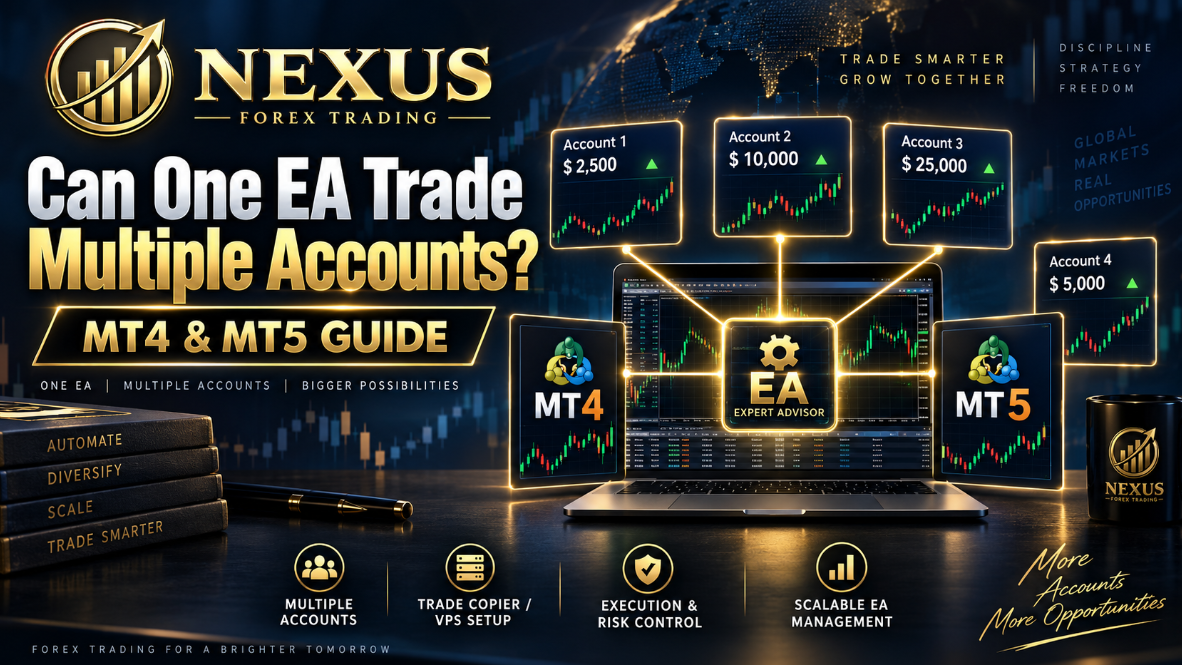
Can One EA Trade Multiple Accounts?
One of the most common questions traders ask when they start using Forex robots is simple: can one EA trade multiple accounts?
The practical answer is that one EA installed on one chart in one normal MetaTrader terminal usually trades the account currently logged into that terminal. To trade multiple accounts, traders normally need multiple MetaTrader terminals, a VPS setup, a trade copier, MetaTrader Signals, broker-managed account structures, or separate licences for each account.
Author: James Murphy
This matters because many traders reach a point where they want to run the same strategy across more than one account. They may have a demo account and a live account. They may have several broker accounts. They may want to run one account with conservative risk and another with slightly higher risk. They may manage separate accounts for different strategies, brokers or platforms.
But there is a right way and a risky way to do it.
This guide explains how EAs work with trading accounts, whether one EA can control multiple accounts, the safest ways to run an EA across several accounts, and what retail traders should watch before trying to scale automated Forex trading.
What Is an EA in MetaTrader?
An EA, or Expert Advisor, is an automated trading program used on MetaTrader 4 or MetaTrader 5. It can analyse price data, check rules, open trades, manage positions and close trades based on programmed logic.
In practical terms, an EA does not trade “the market” in general. It trades through a specific platform connection. That platform is logged into a specific trading account at a specific broker server.
Key point: An EA normally operates inside the MetaTrader terminal where it is installed. If that terminal is logged into Account A, the EA trades Account A. If you switch the terminal to Account B, the EA does not automatically trade both accounts at the same time.
The Simple Answer: Can One EA Trade Multiple Accounts?
For most retail traders, the practical answer is:
One EA installed on one chart in one normal MetaTrader terminal normally trades one logged-in account.
That does not mean the same EA strategy cannot be used on multiple accounts. It can. But the usual setup is not one EA magically controlling every account at once.
The usual setup is one of the following:
Install Separately
Install the EA on each trading account separately, subject to licence approval.
Use Multiple Terminals
Run more than one MT4 or MT5 terminal on a computer or VPS.
Use a Trade Copier
Copy trades from a master account to one or more receiver accounts.
Use Signals
Use a copy-trading service such as MetaTrader Signals where suitable.
Use MAM/PAMM
Use broker-managed multi-account solutions where appropriate and permitted.
Custom Setup
Use a custom multi-account trading setup developed specifically for that purpose.
Each method has benefits, limitations and risk considerations.
Why One EA Usually Trades One Account
MetaTrader is built around the trading account connected to the platform. The EA can only send orders through the environment it is running inside.
From a retail trader’s point of view, this is useful because it reduces the chance of accidentally running an EA across accounts without realising it. The safer assumption is always this:
An EA trades the account currently connected to the terminal where it is running.
Example: One EA on One MT4 or MT5 Account
Imagine you have the Nexus EURUSD EA installed on MetaTrader 5.
Your terminal is logged into:
- Broker: Example Broker
- Account: 123456
- Platform: MT5
- Pair: EURUSD
- Timeframe: M15
The EA analyses EURUSD and sends orders through that terminal. Those orders go to Account 123456.
Now imagine you also have Account 789000 at the same broker. Unless you set up a second terminal, switch accounts, or use copying technology, the EA running on Account 123456 will not automatically trade Account 789000.
Can You Install the Same EA on Multiple Accounts?
Yes, usually you can run the same EA strategy on multiple accounts, provided the EA licence allows it and the setup is done correctly.
For example, a trader might run:
| Account | Platform | Purpose | Risk Setup |
|---|---|---|---|
| Account 1 | MT5 | EURUSD EA | Low lot size |
| Account 2 | MT5 | EURUSD EA | Higher balance, separate lot size |
| Account 3 | MT4 | GBPUSD EA | Separate account setup |
| Account 4 | Demo | Testing new settings | No live capital |
Each account would normally require its own platform instance, correct login, correct broker server, correct chart setup and correct EA licence or activation where applicable.
This is where many traders make mistakes. They assume that because they bought or received one EA file, they can simply use it across every account without checking the licence terms. That may not be allowed. Many EA providers licence the software by account number, broker, platform, device or activation key.
Nexus note: With Nexus, traders should only use the EA according to the licence issued for their approved account. If a trader wants to run Nexus on additional eligible accounts, the correct approach is to request the proper licence coverage rather than copying files randomly between accounts.
Method 1: Running Multiple MetaTrader Terminals
The most common way to run an EA on multiple accounts is to install multiple MetaTrader terminals.
For example, on a VPS you might have:
- MT5 Terminal 1 logged into Account A
- MT5 Terminal 2 logged into Account B
- MT4 Terminal 1 logged into Account C
Each terminal runs independently. Each terminal has its own account login. Each terminal can have its own charts, EA settings and risk settings.
This is often the cleanest solution for retail traders because each account remains separate. If one account has an issue, the others may continue running. It also allows traders to use different lot sizes, broker servers or settings.
However, there are practical limits. Running multiple terminals uses more VPS resources. Each platform consumes memory and CPU. If you run too many terminals on a cheap VPS, the platform may become slow, freeze or disconnect. That can damage EA performance.
Benefits
- Clean account separation
- Different lot sizes per account
- Different broker accounts possible
- Easy to understand and monitor
Risks
- Higher VPS resource use
- More terminals to monitor
- Higher chance of setup mistakes
- Requires correct licence coverage
Method 2: Using a Trade Copier
A trade copier allows one account to act as the “master” and other accounts to copy trades as “slave” or “receiver” accounts.
This can be useful where a trader wants one EA to generate trades on a main account and then copy those trades to other accounts.
A typical trade copier setup works like this:
- The EA runs on the master account.
- The EA opens a trade on the master account.
- The copier detects the trade.
- The copier sends a matching trade to one or more receiver accounts.
- Receiver accounts can use different lot sizing rules.
This can be powerful, but it introduces additional risk.
The copied trade is not always identical to the master trade. There may be delay, slippage, symbol differences, lot-size mismatch, spread differences, broker restrictions or execution failures.
Important: Trade copiers are useful tools, but they are not magic. They need testing on demo accounts before being trusted on live accounts.
Method 3: MetaTrader Signals and Copy Trading
MetaTrader Signals and other copy-trading services can copy trading activity from one account to another. This is a recognised way to copy trades, but it is not the same as one EA directly trading multiple accounts from inside one normal terminal.
It is a copy-trading structure.
That matters because copying is still trading. It still needs a connected platform, sensible risk settings and a clear understanding of slippage, account differences and execution conditions.
Method 4: MT4 MultiTerminal
MetaTrader 4 MultiTerminal was designed for simultaneous management of multiple accounts. This sounds attractive, but retail traders need to understand the difference between multi-account management and running an EA.
MT4 MultiTerminal is not the same as installing a standard EA on one normal MT4 chart and expecting it to trade every account. Many retail EA workflows still rely on separate MT4 terminals or a trade copier rather than MultiTerminal.
For most ordinary traders using a Forex EA, multiple standard MetaTrader terminals or a tested copier setup are usually easier to understand and manage.
Method 5: Broker MAM and PAMM Accounts
Some brokers offer MAM or PAMM account structures.
MAM usually stands for Multi-Account Manager. PAMM usually stands for Percentage Allocation Management Module. These structures are generally used by money managers, signal providers or professional account managers to allocate trades across multiple accounts.
This can be useful in the right context, but it is not something most retail traders should use casually.
Regulatory caution: Managing other people’s money may involve legal, regulatory and broker-specific requirements. Traders should not use MAM or PAMM structures casually without understanding the obligations in their jurisdiction.
MT4 vs MT5: Does Multi-Account Trading Work the Same Way?
MT4 and MT5 are different platforms, and account behaviour can differ.
MetaTrader 5 can use different position accounting systems depending on the broker account. Some accounts allow hedging, where multiple positions can exist on the same symbol. Others use netting, where positions may be combined into one net exposure.
This matters when copying trades or running EAs across multiple accounts. If one account is hedging and another is netting, the same strategy may behave differently. A trade copier may also handle positions differently depending on whether accounts allow multiple positions per symbol or combine trades into one net position.
For EURUSD and GBPUSD Forex EAs, traders should confirm:
- platform version;
- broker account type;
- hedging or netting mode;
- symbol name;
- minimum lot size;
- maximum lot size;
- leverage;
- margin rules;
- stop-level restrictions;
- spread conditions;
- whether the EA was designed for MT4, MT5 or both.
Can One EA Trade Multiple Charts in One Account?
This is a separate question.
One EA instance attached to one chart may or may not manage multiple symbols depending on how the EA was coded. Some EAs are single-symbol systems. Others are multi-symbol systems that scan several pairs from one chart.
| Setup Type | Meaning | Example |
|---|---|---|
| Multi-symbol trading | One account trades more than one pair. | One EA trades EURUSD and GBPUSD on Account A. |
| Multi-account trading | More than one account is traded. | Account A, Account B and Account C all receive trades. |
Those are different technical problems. A multi-symbol EA may be specifically coded to monitor several markets. A multi-account setup usually requires separate platform sessions, a copier, Signals, API integration, or broker-side account management tools.
Can One VPS Run Multiple EA Accounts?
Yes, one VPS can often run multiple MetaTrader terminals, each logged into a different account.
This is one of the most practical approaches for retail traders. A single VPS can run:
- one MT4 terminal for Account A;
- another MT4 terminal for Account B;
- one MT5 terminal for Account C;
- another MT5 terminal for Account D.
However, the VPS must be powerful enough.
The more terminals you run, the more resources you need. A small VPS may handle one or two terminals comfortably but struggle with five, ten or more. If the VPS becomes overloaded, charts may freeze, trade execution may slow, or terminals may disconnect.
VPS Checks
- Enough RAM
- Stable CPU
- Fast broker latency
- Automatic restart plan
- Windows update management
Daily Checks
- Platform connected
- EA active
- Correct account number
- Correct chart timeframe
- Experts and Journal tabs reviewed
The Biggest Risk: Lot Size Multiplication
The biggest danger when running one EA strategy across multiple accounts is not technical. It is risk multiplication.
A trader may think:
“Each account is only using a small lot size.”
But if the same EA takes the same EURUSD trade across five accounts at once, the trader’s total exposure may be much larger than expected.
| Account | Lot Size |
|---|---|
| Account A | 0.05 lots |
| Account B | 0.05 lots |
| Account C | 0.10 lots |
| Account D | 0.10 lots |
| Account E | 0.20 lots |
| Total Exposure | 0.50 lots |
If the trader mentally thinks only about one account, they may underestimate total risk. This becomes more dangerous if all accounts are with the same broker, same strategy, same pair and same trade direction.
Critical risk point: Multiple accounts do not automatically reduce risk if they are all trading the same setup at the same time. In many cases, they simply spread the same risk across several accounts.
Why Traders Use Multiple Accounts With the Same EA
There are valid reasons to run an EA across more than one account.
Demo and Live Separation
A trader may want one account for live trading and one account for demo testing. This is sensible because new settings should be tested before being used with live capital.
Broker Comparison
A trader may run the same EA on two brokers to compare spreads, execution, slippage and trade outcomes.
Risk Profiles
One account may use very low lot size, while another uses a different risk profile. This can help traders compare behaviour carefully.
Separate Strategies
A trader may run EURUSD on one account and GBPUSD on another. This can make reporting cleaner.
The key is that each account must be managed deliberately. Multiple accounts should not be created randomly.
Common Mistakes When Running an EA on Multiple Accounts
Many traders create avoidable problems when they try to scale automated trading.
- using the wrong account number;
- installing the EA on the wrong platform;
- using MT4 files on MT5 or MT5 files on MT4;
- setting the wrong chart timeframe;
- using different broker symbol names without checking;
- forgetting to enable automated trading;
- using too large a lot size;
- assuming copied trades will match perfectly;
- running too many terminals on a weak VPS;
- ignoring slippage differences;
- forgetting that all accounts may enter the same trade at once;
- not checking Experts and Journal tabs;
- not confirming licence permissions.
Most of these mistakes are preventable with a checklist.
Safe Checklist for Running an EA Across Multiple Accounts
Account Setup
- Confirm broker account number
- Confirm account type
- Confirm MT4 or MT5
- Confirm live or demo
- Confirm symbol name
- Confirm hedging or netting mode if using MT5
EA Setup
- Confirm the EA licence allows the account
- Install the correct EA version
- Use the correct timeframe
- Apply the correct settings file if required
- Check automated trading is enabled
- Confirm the EA is active on the chart
Risk Setup
- Set lot size carefully
- Calculate total exposure across all accounts
- Avoid increasing risk after a short strong period
- Check margin requirements
- Use demo testing first
VPS and Copier Setup
- Confirm enough RAM and CPU
- Test copier on demo first
- Check symbol mapping
- Check lot multiplier
- Check slippage settings
Should Beginners Run One EA Across Multiple Accounts?
Usually, beginners should start with one demo account first.
There is no advantage in making automated trading more complex before the trader understands the EA’s behaviour. A beginner should first learn:
- how to install the EA;
- how to check the chart;
- how to confirm automated trading is active;
- how the EA opens and closes trades;
- how lot size affects risk;
- how to read the Experts and Journal tabs;
- how to monitor drawdown;
- how the EA behaves during news and quiet periods.
Beginner guidance: Start with one demo account, then one small live account. Add additional accounts only when the first setup is stable, licensed and properly monitored.
How This Applies to Nexus Forex EA
Nexus Forex EA is designed for traders who want structured automated trading on EURUSD and GBPUSD using MT4 and MT5.
For Nexus users, the important point is simple:
Each trading account needs to be properly licensed, verified and set up.
A trader should not assume that one Nexus EA licence can be copied across unlimited accounts unless that has been approved under the applicable Nexus access terms. Eligible Preferred Broker accounts may qualify for free Nexus access, but the account still needs to be verified and licensed correctly.
For a clean Nexus setup, traders should:
- apply through the correct Nexus access page;
- submit the correct trading account number;
- confirm MT4 or MT5;
- use the correct broker account;
- install the EA only on the licensed account;
- run demo first where applicable;
- use sensible lot size;
- request additional account access if needed.
Realistic Example: One Trader, Three Accounts
Imagine a trader wants to use Nexus EA across three accounts:
- Demo account for learning the setup.
- Small live account for cautious real-money testing.
- Second live account with a different broker or account type.
The correct process would not be to randomly copy files and hope everything works.
A better process would be:
Start Demo
Confirm the EA installs correctly and behaves as expected.
Review Setup
Check chart timeframe, broker account, lot size and trade activity.
Verify Eligibility
Confirm broker account eligibility and request the correct licence.
Move Carefully
Install on live only after the setup is confirmed and tested.
This is slower, but safer. Automated trading should be scaled carefully, not rushed.
Claim Nexus EA 100% Free
Nexus Forex EA is built for traders who want a structured way to trade EURUSD and GBPUSD on MT4 and MT5, with proper setup guidance and account-based licence control.
Included With Nexus
- EURUSD EA
- GBPUSD EA
- MT4 support
- MT5 support
Setup Support
- Account verification
- Licence activation
- Setup documentation
- Lot-size guidance
Eligible traders can claim Nexus EA 100% free through the official Nexus access page.
CLAIM NEXUS EA 100% FREEFAQ: Can One EA Trade Multiple Accounts?
Can one EA trade multiple accounts at the same time?
Usually not from one standard EA instance inside one normal MetaTrader terminal. The EA normally trades the account logged into that terminal. To trade multiple accounts, traders normally use multiple terminals, a trade copier, Signals, or a broker multi-account structure.
Can I install the same EA on two accounts?
Often yes, but only if the EA licence allows it. Some EAs are licensed per account number, broker, device, platform or activation key. Always check the provider’s licence terms before using the EA on another account.
Can I run two MT4 accounts on one computer?
Yes, you can usually run multiple MT4 installations on one computer or VPS if they are installed in separate folders. Each terminal can log into a different account. The same concept applies to MT5.
Can one VPS run several EA accounts?
Yes, provided the VPS has enough resources. Each additional terminal uses memory and CPU. If the VPS is too weak, performance may suffer.
Is a trade copier safe?
A trade copier can be useful, but it adds extra risk. Copied trades may experience delay, slippage, symbol mismatch, lot-size errors or execution rejection. Always test a copier on demo first.
Is MetaTrader Signals the same as one EA trading multiple accounts?
No. MetaTrader Signals is a copy-trading service. It can copy trades from a provider to subscriber accounts, but that is different from one EA directly controlling multiple accounts from a single terminal.
Can I run the same EA on demo and live at the same time?
Yes, but you would normally run separate terminals or separate setups. This is a good way to compare behaviour, but remember that demo and live execution can differ.
Do multiple accounts reduce risk?
Not automatically. If the same EA takes the same trade across several accounts, total exposure may be larger than it appears. Risk must be measured across all accounts combined.
Can Nexus EA be used on multiple accounts?
Nexus EA should only be used on accounts that are properly verified and licensed. If you want additional account access, request approval rather than copying the EA to unlicensed accounts.
Final Thoughts: One EA, Multiple Accounts, But Only With the Right Setup
One EA strategy can be used across multiple accounts, but traders need to understand how the technology works.
A single EA running in one normal MetaTrader terminal will usually trade the account connected to that terminal. To trade several accounts, traders normally need separate terminals, a VPS setup, a trade copier, Signals or a broker-managed multi-account solution.
The bigger issue is not whether it is technically possible. It is whether the setup is safe, licensed, properly monitored and correctly sized.
Multiple accounts can be useful for demo testing, broker comparison, risk separation and scaling. They can also create confusion, duplicated exposure and avoidable mistakes if the trader does not manage them carefully.
For retail Forex traders, the safest path is usually simple:
Start with one demo account. Understand the EA. Move to one small live account only when ready. Add additional accounts only when the first setup is stable, licensed and properly monitored.
Nexus Forex EA is built for traders who want a structured way to trade EURUSD and GBPUSD on MT4 and MT5. Eligible traders can claim Nexus EA 100% free through the official Nexus access page.
Risk Warning: Forex and CFD trading involves significant risk and can result in the loss of capital. Automated trading software does not guarantee profit or protect against losses. Historical performance, backtests and live-account results do not guarantee future performance. Nexus Forex Trading provides automated trading software and educational information only and does not provide financial advice.